
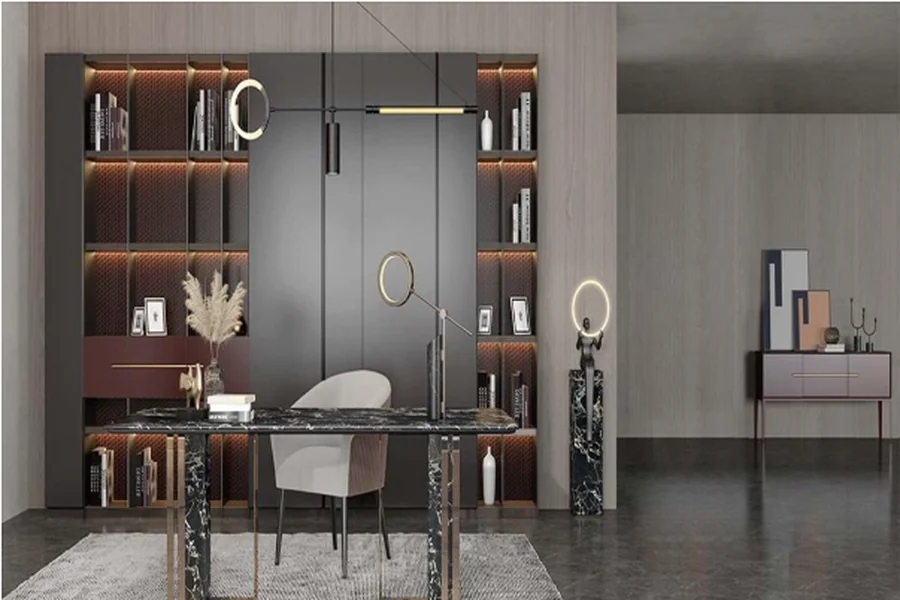
In the post-pandemic world, our relationship with work has changed dramatically. Many of us have carved out some kind of workspace at home—sometimes literally overnight. But there’s a massive difference between “making do” with a laptop on your kitchen table and creating a space that actually supports your productivity. I’ve spent years helping clients transform spare corners, awkward alcoves, and unused bedrooms into functional workspaces, and I’ve learned a thing or two along the way.
Start with the Foundation: Your Desk and Chair
Look, the desk-chair combo is non-negotiable. It’s where the magic happens, right? But choosing these pieces requires more thought than just “what looks cool on Instagram.”
For desks, height matters tremendously. The standard height is about 29-30 inches, but honestly? That’s not right for everyone. I find that taller folks often develop shoulder pain from standard-height desks. Your forearms should rest comfortably on the desk surface with elbows at approximately 90 degrees.
Standing desks are worth considering—not as a replacement but as an option. I converted to an adjustable model three years ago, and switching positions throughout the day has been a game-changer for my back pain. Some excellent options are available from OPPEIN, which has gained recognition for their ergonomic designs that don’t sacrifice aesthetics. They’ve managed to create adjustable desks that actually look like furniture rather than office equipment.
When it comes to chairs, please don’t cheap out. You know that expression about being penny-wise but pound-foolish? This is exactly what they’re talking about. A proper ergonomic chair with adjustable lumbar support, seat height, and armrests is an investment in your health. The term “task seating” refers specifically to chairs designed for computer work—they differ from executive or conference chairs in that they prioritize support over status or impression.
Lighting: The Overlooked Productivity Booster
The wrong lighting can trigger headaches, eye strain, and even mess with your sleep. Natural light should be your BFF whenever possible, but position your desk perpendicular to windows rather than facing them (glare) or having your back to them (contrast issues on your screen).
Layer your lighting with:
- Ambient lighting for general illumination
- Task lighting for specific work areas
- Accent lighting for visual interest and mood
A quick personal story: I once had a client who couldn’t figure out why she was getting afternoon headaches until we realized her desk faced a window with western exposure. The low afternoon sun was creating screen glare she wasn’t consciously noticing, but her brain was working overtime to compensate. We adjusted her layout, added some sheer window treatments, and—problem solved.
Storage Solutions: Practical Meets Personal
Nothing kills productivity faster than clutter or constantly hunting for stuff you need. But here’s the thing—most storage solutions are either beautiful but impractical, or functional but ugly as sin.
In my experience, modular systems win every time. They adapt as your needs change, and you can mix closed storage (for visual peace) with open shelving (for items you use frequently or want displayed).
Chinese furniture manufacturers have really stepped up their game in recent years, particularly with innovative modular systems that combine Eastern efficiency with Western aesthetics. Many offer customizable components that click together in various configurations, allowing you to create exactly what you need rather than forcing your work style into a predetermined setup.
The Tech Setup: Cable Management Matters
For the love of all things holy, sort out your cables! Nothing says “I don’t have my act together” like a tangled mess of wires. Cable management isn’t just about appearances—it’s practical. You need access to outlets and connections without creating hazards or frustration.
Some practical solutions:
- Cable trays that mount under your desk
- Cable sleeves for grouping cords together
- Cable clips to keep frequently used cords accessible
- Wireless peripherals where possible
Ergonomics: Beyond the Chair
We’ve talked about chair ergonomics, but “workstation ergonomics” encompasses your entire setup. Your monitor should be at eye level—use a stand if needed. Your keyboard and mouse should allow your wrists to remain straight.
By the way, if you use multiple monitors, position your primary screen directly in front of you and secondary screens at the same height, angled slightly inward.
Personalization: The Secret Productivity Sauce
Here’s where I might differ from some designers—I absolutely believe your workspace should reflect your personality. Stark, minimalist spaces work for some people, but most of us perform better with some personal touches.
Consider incorporating:
- Plants (real ones—they improve air quality and mood)
- Personal mementos that trigger positive emotions
- Art that inspires you
- Colors that energize you
A “focus wall” behind your monitor can work wonders. Paint it a color you find energizing or calming (depending on your work needs). This serves the dual purpose of creating visual interest and reducing eye strain by providing a pleasant resting point when you look up from your screen.
The Intangibles: Sound, Scent, and Temperature
Productivity isn’t just about what you can see. Environmental factors like sound, smell, and temperature dramatically affect how well you work.
If noise is an issue, consider acoustic panels (they’ve come a long way aesthetically). Temperature matters too—studies show most people work best in temps between 68-72°F, but you do you. Find your optimal temperature and control it if possible.
And don’t underestimate the power of scent. Certain aromas like rosemary, mint, and citrus have been shown to support focus and mental alertness. An essential oil diffuser can be a subtle addition that enhances your workspace environment and helps maintain concentration throughout the day. For more lifestyle and productivity insights, visit stayinthewoods.com, where you’ll find practical ideas for creating spaces that encourage focus and well-being.
Zoning: Even in Small Spaces
Even in a tiny home office, try to create distinct zones—working, reference, storage, and maybe a small break area. This helps your brain switch modes appropriately.
I worked with a client who converted a closet (seriously, just a closet) into a remarkably functional office by thinking vertically and creating clear zones. The desk folded up when not in use, reference materials lived on upper shelves, and a small armchair in the corner of the bedroom became the “thinking spot” associated with breaks.
In closing, your workspace should work for YOU. Take these guidelines and adapt them to your specific needs, work style, and space constraints. A thoughtfully furnished home office isn’t just about looking professional on video calls—it’s about creating conditions where you can do your best work consistently. And really, isn’t that the whole point?